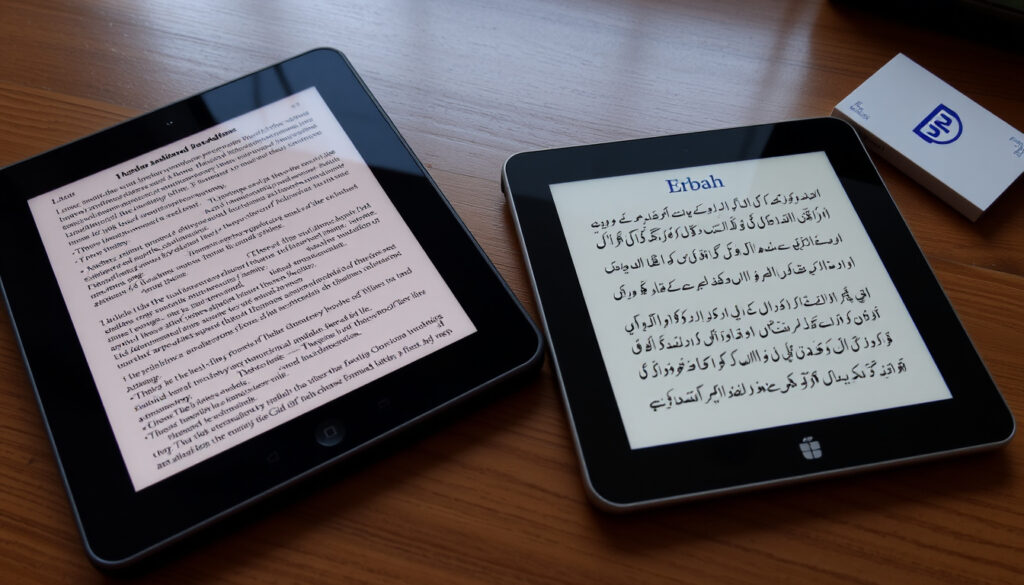
Google Translate English to Urdu: How to Use and Accuracy Tips
Anyone who has typed an English sentence into a translation app and hoped for an accurate Urdu response knows the feeling of uncertainty. Google Translate, which launched in 2006 and now supports over 100 languages, has included Urdu since 2009 (translation accuracy analysis by Locize; Google Translate official site). This guide covers how to use it effectively, where it falls short, and what you can do to get better Urdu translations.
Languages supported: over 100 (Locize) · Launched: 2006 (Locize) · Urdu added: 2009 (Google Translate)
Quick snapshot
- Google Translate supports English-to-Urdu translation (Google Translate).
- For general comprehension, it is useful but not a final draft for legal/medical/marketing copy (Locize).
- Translation quality varies by language pair and content type (Locize).
- Exact accuracy rate for Urdu translation is not published by Google.
- How well Google Translate handles different Urdu dialects (Pakistani vs Indian) remains unknown.
- No official roadmap exists for Urdu-specific grammar improvements.
- Google Translate launched in 2006 and added Urdu in 2009 (Locize; Google Translate).
- Over the years, translation quality for high‑resource languages has improved, but Urdu‑specific benchmarks are not available.
- User feedback on platforms like Reddit suggests steady improvement over the years (Reddit user r/pakistan).
- No official word on when Urdu grammar handling will specifically be upgraded. (Reddit user r/pakistan)
Among the many language pairs Google Translate covers, English‑to‑Urdu sits in a middle ground: it is usable for everyday phrases but frequently stumbles on grammar and context. The following table summarises the key service details drawn from both official documentation and independent analysis.
| Feature / Attribute | Details |
|---|---|
| Supported languages | 130+ (2026 estimate) (Locize) |
| Year launched | 2006 (Locize) |
| Urdu added | 2009 (Google Translate) |
| Daily translations | 100+ billion words (Wikipedia entry for Google Translate) |
| Mobile app downloads | 1+ billion (Wikipedia) |
| Urdu speaker population | ~70 million worldwide (Wikipedia entry for Urdu) |
| Accuracy (popular pairs) | Reportedly 80–90% for common phrases (translation accuracy review by Timekettle) |
| Best for | Simple, well‑formed sentences; gist comprehension (Locize) |
| Not suitable for | Legal, medical, or marketing copy without human review (Locize) |
Nine capabilities, one pattern: Google Translate is powerful for quick, broad understanding but demands caution when precision matters. The rest of this guide will show you exactly how to use it for English‑to‑Urdu and what to watch out for.
How to Use Google Translate for English to Urdu?
For a learner or traveler, Google Translate is a decent first tool — it saves time on basic vocabulary. But when you need an official document or a culturally accurate phrase, you still need a human review.
Using the Web Interface
Start at translate.google.com and select English as the source language and Urdu as the target. Then:
- Type or paste your English text into the left box. The Urdu translation appears instantly on the right.
- Click the speaker icon to hear the pronunciation of either language (Google Translate).
- Use the “Documents” button to upload Word, PDF, or PowerPoint files for translation (YouTube tutorial demonstrating Google Translate features).
- Paste a URL into the “Website” field to translate an entire page (YouTube tutorial).
Using the Mobile App
Download the free Google Translate app from the Google Play Store or Apple App Store (each app store is an official source). After installing:
- Set English as the source language and Urdu as the target.
- Type or speak your phrase for instant translation.
- Tap the microphone to dictate in English; the app will show the Urdu text and speak it aloud.
For offline use, download the Urdu language pack from Settings → Offline translation. This step allows translation without an internet connection (Timekettle).
Using the Camera Feature
- Open the app and tap the camera icon.
- Point your phone at printed Urdu text (signs, menus, labels) to see an instant English overlay, or vice versa.
- The feature works well with clear, printed fonts but may struggle with handwriting or stylized script (Timekettle).
The pattern: Each input mode works for quick tasks, but none replaces a native speaker’s judgment on tone and accuracy.
Is Google Translate Accurate for Urdu Translation?
Common Translation Errors
Accuracy depends heavily on what you’re trying to say. Short, direct phrases like “Thank you” or “How much does this cost?” translate reliably. But when sentences become complex, errors creep in:
- Gender mismatches: Urdu verbs and adjectives change based on the gender of the subject; Google Translate frequently defaults to the masculine form (Locize).
- Formal vs informal register: The tool often uses the informal “tu” when a respectful “aap” is needed.
- Idioms and poetry: Common English idioms become literal, nonsensical Urdu; Urdu poetry loses its rhyme and cultural weight.
Comparison with Professional Translation
Independent analysis shows that Google Translate can reach 80–90% accuracy for popular language pairs when sentences are simple (Timekettle). For Urdu, that percentage likely sits at the lower end due to the language’s complex grammar and fewer training data compared to French or Spanish. Professional translators on platforms like Upwork freelance marketplace consistently outperform the tool for nuanced content.
User Feedback from Reddit
“I’ve noticed that it’s improved massively over the last few years, but it still makes basic grammar mistakes that any native speaker would catch.”
Reddit user, r/pakistan (Reddit)
The Reddit comment reflects a common sentiment: Google Translate is getting better, but it is not yet a replacement for a human Urdu speaker when accuracy matters.
The 80–90% accuracy figure comes from a third‑party blog, not from Google. For Urdu specifically, users report that the tool is useful for gist but unreliable for formal writing.
The implication: Rely on Google Translate for understanding, not for producing text that represents you or your brand.
What Features Does Google Translate Offer for Urdu?
Google Translate bundles several translation methods into one app. Four features handle most use cases, each with strengths and limitations for Urdu.
Text Translation
The core feature: type or paste English text and see Urdu in real time. This works for any web browser or the mobile app. For short sentences it is generally correct, but for longer paragraphs it often loses grammatical structure (Locize).
Voice Input and Output
- Speak an English phrase; the app transcribes and translates it to Urdu.
- The Urdu pronunciation is produced by text‑to‑speech, which sounds natural for standard Urdu but may mispronounce regional variants.
Camera Translation (OCR)
- Use your phone’s camera to scan printed Urdu text and see an English translation on screen.
- Works best on clear, high‑contrast fonts. Handwriting, decorative scripts, and low‑light photos reduce accuracy.
Offline Translation
- Download the Urdu language pack (about 30 MB) from the app settings.
- After that, you can translate text without an internet connection — useful when traveling abroad.
- Offline quality is noticeably lower than online, but sufficient for basic needs.
Travelers to Urdu‑speaking regions benefit the most: camera and offline modes eliminate the need for a data plan, and voice input helps navigate real‑time conversations.
What this means: Text and voice are the most reliable features for Urdu; camera and offline modes are backups with noticeable quality drops.
How Can I Use Google Translate on WhatsApp for Urdu?
Android – Tap to Translate
Android users can enable Tap to Translate in the Google Translate app settings. Once active, copying a message in WhatsApp will automatically show a translation pop‑up over the text, without leaving the chat. This feature is widely reported by users (Reddit discussion on /r/Android).
iOS – Copy-Paste Method
- In WhatsApp, long‑press a message and select “Copy”.
- Switch to the Google Translate app (or use the widget). The copied text automatically appears in the source field if you have “Tap to Translate” enabled.
- The translated Urdu text can then be copied back into WhatsApp.
Integration Limitations
- Google Translate does not offer a native WhatsApp plugin or automatic translation within the chat app.
- iOS does not support Tap to Translate across apps; you must manually switch between apps.
- The translation history is not synced across devices, so you may lose recent translations if you clear your clipboard.
The catch: Without built-in WhatsApp integration, Android users get the smoother experience; iOS users face extra steps every time they need a translation.
Are There Alternatives to Google Translate for English to Urdu?
While Google Translate is the most popular free option, other tools and services may serve specific needs better. The table below compares the top alternatives.
| Tool / Service | Urdu Support | Key Strengths | Key Limitations |
|---|---|---|---|
| Google Translate | Yes | Free, multiple input modes, offline | Grammar mistakes, no cultural adaptation |
| Bing Translator (Microsoft Translator) | Yes | Integrates with Microsoft Office | Fewer input modes, no offline |
| iTranslate (iTranslate website) | Yes | Voice conversation mode | Limited free tier, fewer language packs |
| Rekhta Dictionary (Rekhta Urdu lexicon) | Yes (Urdu–English) | Curated vocabulary, literary usage | No full‑sentence translation, limited to Urdu |
| Human translator (e.g., Upwork) | Yes | Native‑level accuracy, style adaptation | Costly, slower turnaround |
Five options, one trade‑off: free tools are fast and adequate for casual use, but paid human translation is necessary for any Urdu text that represents a brand, a legal document, or a personal relationship.
Summary
Google Translate offers a genuinely helpful bridge between English and Urdu for everyday tasks — getting directions, understanding a menu, or sending a quick message. But its limitations in grammar, formality, and cultural nuance mean it cannot replace a native speaker for anything that carries real weight. For the Urdu‑speaking diaspora or a traveler in Pakistan, the advice is straightforward: use Google Translate as a first glance, then ask a human for a second look.
For those who prefer speaking over typing, Google Translate’s voice translation features offer a convenient way to convert spoken English into Urdu in real time.
Frequently asked questions
Can Google Translate translate Urdu to English as well?
Yes. You can set the source language to Urdu and the target to English for reverse translation. The same accuracy considerations apply: simple sentences work well; complex Urdu phrases may come out awkwardly in English (Google Translate).
Is Google Translate free for Urdu translation?
Yes, Google Translate is completely free to use on the web and mobile apps. There are no hidden fees or premium tiers for language pairs (Google Translate).
How do I download Urdu language for offline use?
Open the Google Translate app, go to Settings → Offline translation → Add languages. Find Urdu in the list and tap the download icon. The pack is roughly 30 MB and allows translation without internet (Timekettle).
Does Google Translate work with Urdu poetry?
No. Poetry relies heavily on metaphor and rhyme, which Google Translate’s statistical model cannot handle. The output is usually literal and loses all artistic effect.
Can I translate Urdu handwriting with Google Translate?
Camera translation works best for printed, clear fonts. Handwritten Urdu script, especially in Nastaliq, is not reliably recognized (Timekettle).
How do I report a mistranslation in Urdu?
On the web, click the “Suggest an edit” button below the translation box. In the mobile app, long‑press the translated text and choose “Suggest”. Your feedback helps improve future translations.
More related posts
 Melinda French Gates: Net Worth, Divorce & Philanthropy Today
 Things to Do with Kids – Free Indoor and Outdoor Ideas
 Paul Mescal: Age, Net Worth, Relationship & Smoking (2025)
 Zimbabwe vs South Africa Match Scorecard – T20 Super 8
 What Currency Doe Turkey U e? Complete Guide to TRY & Euro
 Delhi Capitals vs Gujarat Titans: Scorecard, Highlights & Result
 Eric Burdon Today: Health, Net Worth, and Life After The Animals
 Imane Khelif: Gender Eligibility Controversy Explained